Last updated on
Badass Intelligence Part 2: Building the PowerShell API
In Part 1 I proved I can resolve a GPO GUID to a friendly name instantly using [adsisearcher]. Now I turn that lookup into an HTTP API endpoint that Logstash (or any collector) can call inline for enrichment.
Requirements & Design
Constraints:
- Very low latency (sub‑50ms typical for local queries)
- No heavy external modules
- JSON output
- Resilient to missing GUIDs (returns structured error)
Endpoint Contract:
| Method | Path | Query | Response (200) |
|---|---|---|---|
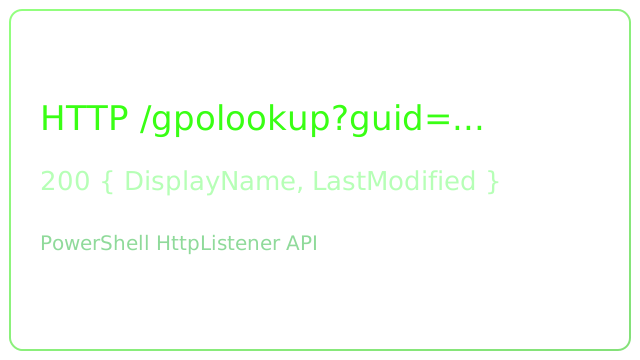
| GET | /gpolookup | guid=<GUID> | {DisplayName, Created, LastModified, Guid} |
404 / 400 style errors can be simplified to a 200 with an Error property to keep Logstash filter logic straightforward.
Minimal Framework Choice
I can use lightweight listeners instead of a full web server. Two common PowerShell approaches:
Start-Job+HttpListener- Polaris (if allowed-adds a dependency but still lean)
I’ll demonstrate a pure .NET HttpListener for zero dependencies.
Core Lookup Function
function Resolve-GpoGuid {
    [CmdletBinding()]
    param([Parameter(Mandatory)][string]$Guid)

    $filter = "(&(objectCategory=groupPolicyContainer)(name={$Guid}))"
    $obj = ([adsisearcher]$filter).FindOne().Properties
    if ($obj) {
        return [ordered]@{
            DisplayName  = ($obj.displayname).Trim('{}')
            Created      = $obj.whencreated
            LastModified = $obj.whenchanged
            Guid         = $Guid
        }
    }
    return [ordered]@{ Error = 'NotFound'; Guid = $Guid }
}
HTTP Listener Script
# gpo-api.ps1
param(
    [int]$Port = 8080
)

Add-Type -AssemblyName System.Net
$listener = [System.Net.HttpListener]::new()
$prefix = "http://*:${Port}/"
$listener.Prefixes.Add($prefix)
$listener.Start()
Write-Host "[+] GPO API listening on $prefix" -ForegroundColor Green

function Write-Json($context, $obj, [int]$status=200) {
    $json = ($obj | ConvertTo-Json -Compress)
    $bytes = [System.Text.Encoding]::UTF8.GetBytes($json)
    $context.Response.StatusCode = $status
    $context.Response.ContentType = 'application/json'
    $context.Response.OutputStream.Write($bytes,0,$bytes.Length)
    $context.Response.Close()
}

while ($listener.IsListening) {
    $context = $listener.GetContext()
    $req = $context.Request
    try {
        if ($req.Url.AbsolutePath -eq '/gpolookup') {
            $guid = $req.QueryString['guid']
            if (-not $guid) { Write-Json $context ([ordered]@{ Error='MissingGuid'}) 200; continue }
            $data = Resolve-GpoGuid -Guid $guid
            Write-Json $context $data 200
        } else {
            Write-Json $context ([ordered]@{ Error='NotFound'; Path=$req.Url.AbsolutePath }) 404
        }
    } catch {
        Write-Json $context ([ordered]@{ Error='Exception'; Message=$_.Exception.Message }) 500
    }
}
Run:
./gpo-api.ps1 -Port 8080Test:
Invoke-RestMethod "http://localhost:8080/gpolookup?guid=6AC1786C-016F-11D2-945F-00C04FB984F9"Performance Notes
- Cache layer (optional): store recent GUID → result in
[System.Collections.Concurrent.ConcurrentDictionary]. - Batch Mode (future): accept comma‑separated GUIDs for bulk enrichment.
Next
Part 3 wires this endpoint into Logstash for inline enrichment during ingestion.
Tags: elastic · PowerShell · Polaris · Threat Hunting · Windows Events