Badass Intelligence Part 1: An API in PowerShell
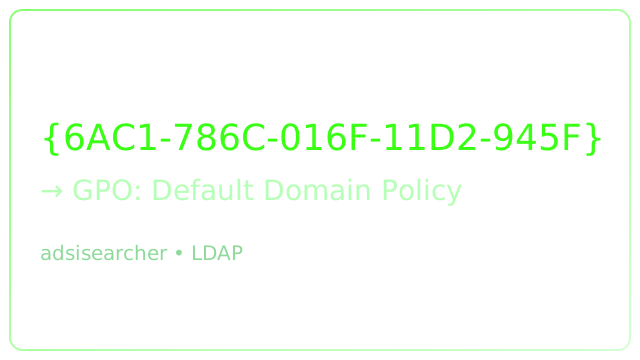
Windows logs are rich-but they leave frustrating gaps. One of my favorite examples: tracking meaningful changes to Group Policy Objects (GPOs). Event ID 5136 (Directory Object Change) tells you that something changed, but not the friendly name of the GPO. You often just get a GUID like {6AC1786C-016F-11D2-945F-00C04FB984F9}. Great for a robot; useless for a human.
This series shows how to build a ridiculously fast, dependency‑light PowerShell API to enrich those events (GUID → Display Name + metadata), then pipe it into Elastic / Logstash.
The Problem
You see changes to Active Directory objects-especially GPOs-but the native event data omits the GPO display name. Without enrichment you can’t immediately answer:
- Which GPO changed?
- When was it created / last modified?
- Is the change normal or suspicious?
Out-of-the-box suggestions (e.g. Get-GPO, Get-ADObject) are slow (1–2s per lookup) and require modules. At scale (hundreds or thousands of events), latency kills.
Goal
Translate a GUID found in security logs into human context (DisplayName, Created, LastModified) instantly-fast enough to sit inline in a Logstash HTTP enrichment pipeline.
Approach Overview
Leverage .NET type accelerators-especially [adsisearcher]-for raw LDAP speed without importing heavyweight modules.
Key idea:
- Build an LDAP filter that scopes to
groupPolicyContainerobjects. - Query by
name={GUID}(that attribute stores the raw GUID for GPOs). - Extract properties directly:
displayName,whenCreated,whenChanged.
Warm‑Up: ADSI Searching Yourself
Try on a domain‑joined box:
([adsisearcher]("sAMAccountName=$env:USERNAME")).FindOne().PropertiesWrap the filter in a variable for reuse:
$adsiQueryStr = "sAMAccountName=$env:USERNAME"
([adsisearcher]("$adsiQueryStr")).FindOne().Properties
Properties with {} are returned as collections-so handle array indexing if needed later.
Converting a GUID to a GPO Name
LDAP filter structure:
(&(objectCategory=groupPolicyContainer)(name={GUID_HERE}))Example script (single lookup):
$Guid = '6AC1786C-016F-11D2-945F-00C04FB984F9'
$filter = "(&(objectCategory=groupPolicyContainer)(name={$Guid}))"
$obj = ([adsisearcher]$filter).FindOne().Properties

if ($obj) {
    $response = [ordered]@{
        DisplayName   = ($obj.displayname).Trim('{}')
        Created       = $obj.whencreated
        LastModified  = $obj.whenchanged
        Guid          = $Guid
    }
    $response | ConvertTo-Json -Compress
} else {
    Write-Warning "GPO GUID not found: $Guid"
}
Output (example):
{"DisplayName":"Default Domain Policy","Created":"2008-11-03T14:27:16","LastModified":"2020-04-26T15:04:13","Guid":"6AC1786C-016F-11D2-945F-00C04FB984F9"}Why Not The Usual Cmdlets?
| Option | Drawback |
|---|---|
Get-GPO | Requires module + slower |
Get-ADObject | Requires RSAT / AD module |
| VBScript | No thanks |
| Raw ADSI | Fast, native, zero extra deps ✅ |
Towards an API
This lookup will become the primitive our API exposes (Part 2 builds the HTTP layer). For now, save a working snippet:
# snippet_GUIDtoName.ps1
param(
    [Parameter(Mandatory)][string]$Guid
)

$filter = "(&(objectCategory=groupPolicyContainer)(name={$Guid}))"
$obj = ([adsisearcher]$filter).FindOne().Properties

if ($obj) {
    [ordered]@{
        DisplayName  = ($obj.displayname).Trim('{}')
        Created      = $obj.whencreated
        LastModified = $obj.whenchanged
        Guid         = $Guid
    } | ConvertTo-Json -Compress
    exit 0
} else {
    [ordered]@{ Error = "NotFound"; Guid = $Guid } | ConvertTo-Json -Compress
    exit 1
}
Run:
./snippet_GUIDtoName.ps1 -Guid '6AC1786C-016F-11D2-945F-00C04FB984F9'Next
In Part 2 I wrap this logic in a minimal PowerShell web framework to serve GUID lookups over HTTP.
Tags: elastic · PowerShell · Threat Hunting · Windows Events